



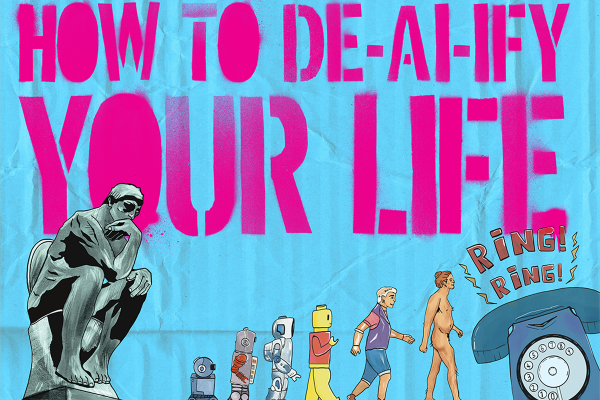

AI tools are pretty much everywhere, and Big Tech has done a stellar job in normalising their incorporation into just about every digital product we use.
What I will say is that I am not anti-AI in any blanket statement sense. I do believe that there are applications of AI that will do great things for society. I love technology! But the day-to-day integration of AI, particularly when it’s being unilaterally shoved into social media platforms and search engines as the “default”, feels excessive.
At least if you use ChatGPT, you make a conscious decision to do so. When AI is integrated into some of your most used applications, God knows when you agreed to start using it – or how to stop it.
Let’s take a look under the hood.
Instagram uses AI to recommend posts from accounts you don’t follow if it thinks they’ll be your vibe. It does this through watching what you like, save, share, watch (and for how long) and skip. The Reels algorithm prioritises addictive, short videos. AI is a technological siren, begging you to doomscroll. Meta’s AI (Meta being the parent company of IG and Facebook) tests different ad placements, formats and audiences to target more accurately. On the helpful side, AI can translate videos from other languages and detect offensive or spammy language in comment sections.
The bad news is that you can’t banish Meta AI from Instagram entirely. People in some other countries (particularly Europe) have quite strong data and privacy rights, and can submit an objection request, which prevents their data being used for AI training. We can’t do this in Aotearoa. Instead, we can ask Meta to delete data used by third parties to develop its AI, which is convoluted to find in the settings. Plus, from the way it reads, it sounds like you’re supposed to request this if you have a “concern about your personal information being included in a response from an AI at Meta model” – not just because you don’t want AI training on your personal information.
As for the Meta AI that you can actually chat with, if you enter the command /saved-details you can see what the AI knows about you based on those chats. You can download that info in the Accounts Centre. To reset an AI and delete the information it has about you, type /reset-ai and /reset-all-ais for good measure (that gets all AIs on that app, including the ones in groupchats).
You can’t block AI-generated content, either. Pressing ‘not interested’, or ‘don’t recommend’ can try to get the algorithm to stop chucking up slop. Overall, to limit the amount of AI-exposure your account has, going private or deleting your account is probably your best bet until we get some better data rights in NZ.
Facebook’s AI knows that the only thing the platform is good for is community pages, fake news comment sections teeming with Boomers and New Zealand Police drug seizures. This is called feed ranking, and the AI is attempting to prioritise posts that spark interaction between users, not just likes. Like Instagram, Facebook Ads Manager uses machine learning to target ads with insane precision. Facebook knows what you want hours before you do. If you see a post you’re curious about, you can click the three dots on the side to navigate to the ‘Why am I seeing this post?’ panel. There, you can read about why that post is being pushed to you, which is pretty neat and #transparent. Not that you can really do much with that information – opting out of ranking isn’t an option.
Meta AI is also present in groupchats, summonable using @metaai. You can also make AI chatbots that act as friends or companions, like a specialised chef AI to help with dinner. Just remember that any interaction you have with those AIs will likely be stored and used for future training – you’re aiding a feedback loop.
As with Instagram, entering the command /saved-details will show what the AI knows about you based on your chats. Typing /reset-ai and /reset-all-ais works in clearing that history. You can download that info in the Accounts Centre. This also works for the Meta AI integrated into WhatsApp.
TikTok
TikTok’s algorithm tracks things like rewatches, pauses and how long it takes for you to scroll past a video to tailor your feed to you. TikTok knows you watch AI-generated fruit Love Island. You’re pathetic.
TikTok’s advertising is on crack, meth and cocaine. Symphony is a set of AI-powered tools that help advertisers create, test and optimise campaigns, speeding up the content-production process. Tools like Market Scope use analytics to categorise audiences, allowing AI to target ads at increasingly specific groups. In this process, your data is literally becoming a product for corporations to use for profit.
As a user, you can’t do much about this, but it’s something worth bearing in mind when you next get an ad. Just be aware that there is a super-algorithm positioning itself between you and the real world. You didn’t need critical thinking skills anyways, right?
Unlike many prospective employers, LinkedIn’s AI gives a major fuck about you. It loves every little tiny detail about you: the trends in your industry, your behaviour, the people you interact with, and the “thought leadership” you succumb to. All of this information is used to make its AI better.
Much like Facebook, LinkedIn’s feed ranking prioritises posts that generate debate and comments. You getting a promotion is bottom of the barrel, but someone harping on about how not getting an internship was the best thing that ever happened to them? That’s going platinum.
LinkedIn also uses AI to network for you. It matches candidates with roles and suggests connections based on your career, industry and activity.
If you want to stop LinkedIn and its affiliates from using your personal data and content to train generative AI models, navigate to ‘Data Privacy’ and then to ‘Data For Generative AI Improvement’ and toggle it off. One small victory.
Snapchat
As far as I’m aware, you can’t permanently disable MyAI in Snapchat. You should be able to unpin it and clear the conversation though, which will stop it from sitting sugly at the top of your chats. Anything you say to the AI may be used to improve it. If you want to know what the AI knows about you, go to “Privacy Controls” in Settings. Under “My Data”, you can download the specifics.
Another thing to be aware of is that Snapchat will use Public Stories, Spotlight videos and Snap Map snaps to develop and improve their generative AI. You can toggle this off in settings – it’s on by default.
Google Chrome
This one was depressing.
I don’t actually know how to completely disable AI in Chrome, because everything I tried from Reddit didn’t work. What you can do is type chrome://flags and search for “AI” and “AI mode”, then turn all of those flags off – I did that and it didn’t break my browser. However, it also didn’t make the AI search fuck off.
The reason why you want to turn this off is because AI summaries can be wildly inaccurate and it scrapes human mahi. This decreases traffic on websites where people have put time into discussing a topic, meaning less people see their ads and engage directly with their content.
The easier way to get rid of AI overviews is to go into settings and change your default search engine to either Brave or DuckDuckGo. Do your own research before switching, but both prioritise user privacy, and make it easy to switch off tools like AI overview which was refreshing. Another option is setting your default engine to Ecosia, which uses its profits to plant trees and generate renewable energy. This has a bit of a different user interface, and isn’t as hardcore when it comes to user privacy. However, you can easily navigate to settings to turn off AI features.
Did I Help You De-AI-ify?
I’ll admit that I found this article frustrating to write. I started with the assumption that there must be an off switch for most of these tools. Instead, I finished with the realisation that minimisation of AI features is probably as good as it will get.
It’s surprisingly difficult to exercise any real sovereignty over your data when AI has been wrapped around virtually every digital service you use. If AI is truly a tool, then it should be there to serve you – not a big, data hungry corporation. And if it isn’t helpful, you should be able to turn it off.
If you can’t turn it off, maybe you should consider whether the service you’re being provided actually satisfies you as an aware, well-informed user. Because apparently the most futuristic thing you can do in the big ‘26 is decide you’d rather use the Internet yourself.
