
Raquel Moss
Technology Editor 2013
Articles by Raquel Moss
24 articles found. Displaying page 2 of 2.
-
Culture
 Issue 19 11/08/2013
App of the Week | Issue 19
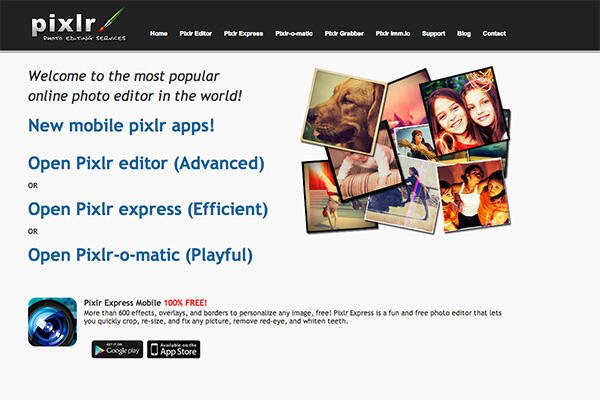
Pixlr is a great web app for quick but thorough image editing. It’s better than Microsoft Paint; it’s not as good as Photoshop. This is not one for graphic designers, and if you use it, your graphic designer friends will cringe. But it does the trick. Open up the web app and you can choose to work with an existing image or create one from scratch. You can work with layers, brushes, and filters to edit your image, just as you would with more sophisticated software. It may not be as robust as Photoshop, but it does a pretty fucking good job for a free web app. Pixlr is perfect for quickly editing a picture before posting to social media. The pinch and bloat tools are particularly useful if you want to decrease the size of your nose and plump up your lips in that selfie. Just … you know … hypothetically. It’s web-based, so you don’t need to worry about installing anything, and you don’t have to make an account or sign in. Just edit your image, save it to your computer, and be on your way.
-
Culture
Issue 19 11/08/2013
Freemium and Subscription Models Making Life Harder for Pirates
Just as with music there is a trend in the gaming industry to offer subscription models to gamers, which has had an impact on gaming piracy. Game purveyors are offering perks for players who opt in to paid subscriptions, such as free games and online multiplayer, while punishing pirates by preventing them from getting updates and playing online. Playstation Plus is Sony’s offering to gamers. Pay a monthly subscription and get free and discounted games, with new ones on offer every month – yours to keep as long as you are a subscriber. Microsoft’s Xbox Gold offers two free games per month. Both services include multiplayer online gaming, and Xbox Gold even includes a feature that matches you up with suitable opponents based on your skills. By tying users into an ecosystem that includes software updates, cloud storage, and multiplayer gaming, both Sony and Microsoft have done a pretty good job at preventing piracy. Piracy of PC games is more rampant, but software distributers Steam have had massive success offering games and, since October 2012, software. Steam offers users a huge library of games to purchase and play, including older titles (think Age of Empires) for just a few bucks. For more flexibility, Steam has partnered with Humble Bundle, a service that allows you to purchase a bundle of games on a pay-what-you-like basis. Humble Bundle also supports charities, so you can be magnanimous while playing Saints Row 2. With its non-intrusive social components, Steam has garnered a great community of PC gamers whose members go nuts over its legendary sales. Steam takes the hassle out of compatibility issues, patches and updates, making it (in many cases) a more attractive option than piracy. It also fosters multiplayer gaming through its player matchmaking service and in-game chat. As for software, it’s a blessing these days that we rarely have to rely on premium software. There’s a shitload of great, free software out there. The only two I ever hear significant whingeing about are Microsoft Office and Adobe Creative Suite (or hell, even just Photoshop). Microsoft Office prices are less obscene than they were in the early naughts – especially if you flash some student ID – but it’s still cheaper to fly to the US, buy Adobe Creative Suite there, and fly home than it is to buy it in New Zealand. Fuck you, Adobe. Pirating Adobe software is already a pain in the arse. The cracks are always dodgy and inevitably at least one of the apps doesn’t work properly. A friend of mine has to set his computer’s clock back to 2009 to make his pirated version of Creative Suite work. It’s enough to make you want to fork out some cash … until you remember that Creative Suite is pretty fucking prohibitively expensive. Adobe will soon make piracy even harder by moving to a subscription-only model called Adobe Creative Cloud. Users will pay monthly for access to up-to-date Creative Suite apps, with various plans available for students, businesses and individuals. It’s a nice idea, I suppose. Rather than a huge initial cost, you can pay monthly for an always-up-to-date suite of apps. Currently you can subscribe to Creative Cloud for about $17 per month if you can prove that you’re a student, and the full plan for individuals is just under $60 per month. That’s still a huge investment, and probably not one that the casual user wants to make. Overall, though, paid software is on the decline, with newer developers offering customers a “Freemium” model. Take a look at the software you use regularly – in many cases the software itself is free but comes with extra features that can be unlocked after handing over some cash (think Skype, Evernote etc.). Only specialist software such as powerful image and audio editing or office tools are worth paying for or pirating these days. As developers create more and more software and implement freemium models, pay-what-you-want options, or subscription options, piracy will become less “necessary” and less desirable. Until then, and unless you really need Microsoft Office or Photoshop, there are many free, legal software options that won’t give you the exact same experience but will probably do the trick.
-
Culture
 Issue 18 04/08/2013
App of the Week | Issue 18
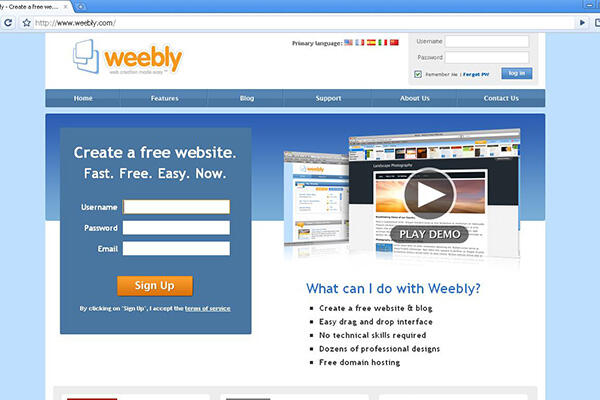
Weebly is a drag-and-drop, no-coding-required platform for creating websites that actually look good. If you need to create a quick website to advertise your tutoring skills, or your Mum’s clothing-swap event, Weebly is the way to go. Think of it as the 2013 equivalent of GeoCities, with nicer design options. Much nicer. Weebly offers hundreds of themes that you can customise with its drag-and-drop interface. If you’re comfortable with HTML and CSS, you can add your own code for even more customisation. It offers mobile-friendly themes, search engine optimisation, slideshows, contact forms and pretty much anything else you might need for a simple website. A nice touch is Weebly’s site planner, which helps you to think through the web design process clearly. It encourages you to think about site navigation options, the aims of your website and other little things you might not think about if you’re not used to designing websites. Weebly isn’t as robust as a fully-fledged content management system like Wordpress, Drupal, or Joomla, but it’s absolutely perfect for simple web design needs, and practically idiot-proof.
-
Culture
 Issue 18 04/08/2013
I Just Want to Watch Game of Thrones, Damnit
Television networks have pulled their socks up over the past few years. The proliferation of piracy online means it is no longer acceptable to air international TV shows in New Zealand months, or even years, after their inception. Not that it was ever acceptable, really – we just didn’t have much choice in the matter. We’re no longer slaves to the television networks, and they’ve had to work hard to keep their viewers. Last year TV3 managed to broadcast Homeland mere hours after it screened in the USA. It was almost quicker than piracy but you still had to sit through obnoxious Harvey Norman ads, so piracy remained the more attractive option. A for effort, TV3, but what can I say? I’m a fussy customer. Here’s what I want: TV shows and movies in high-quality digital formats that are mine to own and watch as I please. No ads, and bonus points if it’s all legal and reasonably priced. Who’s going to give it to me? Overseas, services such as Netflix and HBO Go, which allow instant streaming of a huge range of TV shows and movies, have become extremely popular. In New Zealand, though, piracy remains the most reliable method for watching shows soon after they air overseas. For local content, TV on Demand offered by local networks is fairly reliable, but no one cares that much about New Zealand’s Hottest Home Baker, do they? New Zealand’s answer to Netflix, Quickflix, might be a step in the right direction, but its current catalogue is pretty lackluster (unless you’re really into Poirot). Besides which, if I want to watch a show more than once it’s going to eat up some serious data, and that shit’s expensive in New Zealand. So what about films? You want a legal, digital copy of a film? Sure thing – you just have to buy the DVD or the Blu-ray first. Or the DVD and the Blu-ray. Point is, you need the physical copy. Alternatively, you can buy a film on iTunes. That’ll be $29.99 for Life of Pi, please. Available only on your iDevices because fuck you, that’s why. I’d rather not invest in DVDs, a format that will linger for some time but eventually die. Discs are a hassle and if I want to play them on my tablet I have to rip them anyway. Ain’t nobody got time for that. Blu-rays are nice, if you have a Blu-ray player, but like DVDs they aren’t particularly portable. At least piracy provides a portable, reliable format that will work with most devices. In an ideal world, there would be a legal way to buy a high-quality, DRM-free copy of whatever show you want to play as many times as your heart desires on whichever device you choose … at a reasonable price. Hell, there’s even money to be made off our collective thirst for nostalgia, as video game purveyors Steam have discovered. Offer up a high-quality digital package of The Simpsons complete seventh season for $10 or less and I’d buy that shit. Somebody take my money! Whatever. Until that day arrives, piracy is easy, reliable, quick, and comprehensive. If you want digital copies of Gilmore Girls, or new shows that are yet to air in New Zealand (Orphan Black, Black Mirror, Fresh Meat), piracy is pretty much your only option. When it comes to Game of Thrones, piracy is definitely your only option. It is known.
-
Culture
 Issue 17 28/07/2013
App of the Week | Issue 17
Did you know that there are still people who carry their assignments around on a USB drive? It’s a risky game. Half the time you forget to bring it; the other half you leave it in a library computer. Awesome. Save yourself the pain by signing up for Dropbox. It’s a simple but powerful service that may revolutionise the way you store data. Dropbox is cloud storage, plain and simple. It’s your USB drive that you can access from anywhere with Internet. There’s an app for your computer (including most main Linux distros) and your phone, and you can access your files through dropbox.com if you need to. Start out with 2GB of free storage, which you can increase by completing various tasks (e.g. referring a friend to Dropbox). If you have a Samsung Galaxy or Note, you probably already have 50GB of free storage just waiting for you. Aside from simple storage, you can do a few nifty things with Dropbox. Set it up to sync photos from your phone so that you have them backed up. Share a folder with a friend, or your mum, to send files between each other. If you’re the flatmate in charge of the responsible stuff, set up a shared folder to store your tenancy agreement, copies of bills and what-have-you. See? Revolutionary. If you haven’t tried cloud storage yet, get Dropbox and let your USB drives gather dust.
-
Culture
 Issue 17 28/07/2013
The Many Paths to Yeezus—Piracy or Purchase?
Ten years ago, you may have been regarded with awe when you successfully downloaded the new Green Day album and burned multiple copies so that your friends could listen to “Wake Me Up When September Ends” on their discmans. No? Just me? These days, piracy is a pretty casual pastime in Godzone. Fuck those oppressive anti-piracy laws – has anything actually come of those? In the mean time we’ll keep testing the limits, because fuck paying $18 on iTunes for Yeezus. Overseas, piracy is waning due to the proliferation of services that allow legal access to material for a price that people are willing to pay. Spotify, Steam, and Netflix are re-shaping the global face of media consumption. Companies have tried several models to allow customers legal access to music. Apple had a good stab at it in 2011 when they offered amnesty to pirates via iTunes Match, a subscription service that scans your music library (including all your pirated material) and gives you the high-quality iTunes version of each file for $39.99 per year. Apple also got rid of DRM restrictions, making the deal all the more attractive. Additionally, iCloud is now so embedded into the Apple ecosystem that it makes sense for people with lots of Apple products to take advantage of the service if they’re willing to pay for it. Coming in at about $3 per month, it’s not a bad deal. The service is imperfect, though – many users have problems with iCloud not matching songs that should match up with iTunes songs. According to MacWorld.com, this is even happening with songs that have been legally purchased. iCloud also limits you to 25,000 tracks – that’s a lot of music, but there is a ceiling. And got an Android phone or tablet? Forget about iCloud then. This one only works for people who are completely devoted to Apple. Freaks. With iTunes (and iTunes Match), you own your music. It’s not physical, but those mp3 files are yours. But with services like Spotify and Rdio offering unlimited streaming, is there much point in owning the music? Spotify’s free service is … serviceable, but littered with ads. It also lacks the option to download playlists to your phone. At $12.99 per month, Spotify Premium is more expensive than iMatch, but offers benefits of its own. You can download playlists to your phone and play them offline, though you are limited to 3,333 songs. Rdio, at $13.90 per month, is slightly more expensive, but doesn’t limit the number of songs you can store offline. Spotify’s value lies in its playlists. Let’s face it – keeping up with new music is time-consuming, so curation can be a boon for anyone without a music-obsessed friend. Sites like Spotibot.com make use of Spotify’s API to suggest playlists based on your taste. Type in the name of an artist or band you like and it will spit out a mixtape of similar artists. With Rdio, you can choose to follow friends, artists, music magazines and blogs – anything that aids your music discovery. Spotify and Rdio offer access to fewer artists than iTunes, but this may change. Apple’s legal teams have been negotiating with record labels for longer than streaming service providers, but evidence suggests that streaming services are what the public want – online music sales are down while streaming service subscriptions are up. The bottom line for many New Zealanders, however, is bandwidth. Many countries don’t have to deal with pesky things like data caps, and so can stream to their hearts’ content. With last year’s upgrade to the Southern Cross Cable, most telcos have raised their data caps, but making that 100GB last a whole month in a flat of five is still a challenge. Streaming services can eat up a lot of bandwidth in a short time and, while that remains the case, good old-fashioned piracy will flourish in New Zealand.
-
Culture
 Issue 16 21/07/2013
App of the Week | Issue 16
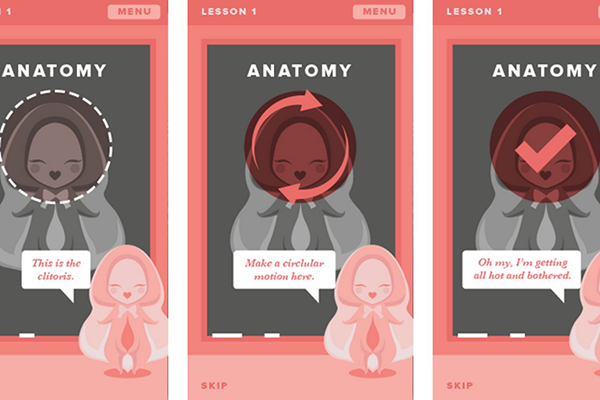
You know those vibration masturbation apps that are widely available in app stores? I have questions: Why would that be a good idea? First of all, your phone is a disgusting piece of equipment. It’s covered in germs and you probably use it while you’re on the toilet. And secondly, the vibration your phone can muster up is pretty piss-poor when compared to a real vibrator. Good luck getting off on that. Just use your hands! There’s an app for that now! HappyPlayTime is an app in development that encourages women to masturbate. Its philosophy is that “by talking openly and lightheartedly about female masturbation, we are taking the first step to becoming truly sexually liberated.” Grand. I’m not going to argue that this is a noble cause. Female masturbation is an issue that, for many people, is surrounded by shame and repression that needs to be lifted. I’m just not sure that HappyPlayTime’s approach is the best way to go about it. The app’s first “lesson” points the user toward the clitoris and suggests that they rub it in a circular motion until a pink tick appears, indicating orgasm. That’s the crux of it, I suppose. I’d be interested to see what the other lessons involve. What I do take issue with is the design. Far from sexy, mature, or arousing, the app’s mascot is a dancing illustration of a vulva that looks disturbingly like a baby. This, combined with the overwhelming baby pink colour scheme, seems condescending and (worse) infantilising. Women who are trying to learn about their bodies need mature and realistic help – they don’t need to be babied. My suggestion? Scrap the design, but keep the concept. Come up with something sexier, and next time, don’t make your mascot look like a baby. NOTE: THIS WEBSITE IS BLOCKED ON THE OTAGO UNI NETWORK - CRITIC CONTACTED OTAGO UNI INFORMATION TECHNOLOGY SERVICES, WHO CONFIRMED THAT THEY WOULD NOT UNRESTRICT THE WEBSITE.
-
Culture
 Issue 16 21/07/2013
Mundane, Fleeting, Fun
Occasionally, I have reason to suspect that at the grand age of 22 I might already be “over the hill.” This realisation came several weeks ago when I found myself asking, irritably, “what is this Snapchat thing and should I be on it?” I had heard that teenagers were using it to sext each other. As it happens, they are. But the PG-rated version is fun too – turns out it’s entertainingly novel to snap a quick “slice of life” and send it in a self-destructing message. What is this Snapchat thing?Snapchat is an app that allows you to send self-destructing pictures or videos to friends. Snap a picture, doodle on top of it MS Paint-style, then send it to your friends. They can view it until their time runs out and the picture is deleted. Seems fun, in a silly sort of way. Because humans are humans – and are endlessly fascinated by genitals – many people use Snapchat to send dick pics, cleavage shots, sexy pouty faces, and so on, to their “friends.” Who uses it?Teenagers. ZOMG – teenagers love Snapchat. Raging hormones; fun, newly developed body parts to photograph; silly drawings ... teenagers are all over that jazz. Other than that, there exists the usual muddle of bored people who exist all over the web: 20- and 30-somethings who Snap their craft beers and concert tickets – nothing too exciting. In a way, it’s the mundaneness of it all that makes it fun. After all, Instagram is choked with boring images, and we can’t seem to get enough of it. The instant and fleeting nature of Snapchat makes it a little more exciting because the pressure is off – the picture doesn’t need to be artistic, or profound. It’s only going to exist for a few seconds before it’s forgotten. Aside from combing your phone’s contacts, Snapchat does not include a directory or way to find people to Snapchat. To add a Snapchatter, you need their username. The Twitter hashtag #snapchatusername and the Reddit site r/Snapchat exist to help people find each other. Should I be on it?That depends. Do you like: - Doodling, MS Paint-style? - Sending naughty pictures to friends? - Taking selfies (but too embarrassed to put them on other social media sites)? If yes, sign up and give it a go. Personally I’m past the stage in my life where sending tit-pics to boys is the height of my sexual “badassery.” The most fun I get from Snapchat is sending #prettygirlsuglyfaces photos. Take a picture of yourself pulling the ugliest face you possibly can – the more chins the better. Send it to your friends. Wait for their horrified reaction. Rinse and repeat. The Analogue HoleSince the digital age dawned, the Analogue Hole has been right there in its footsteps, undermining it. Remember sitting by the radio as a kid, ready to tape your favourite song and getting annoyed when the DJ spoke over the beginning of Outkast’s Ms Jackson? The same thing can happen with Snapchats. Nimble-fingered friends, if they’re quick enough, can take a screenshot of your snap and use it as they please. If they’re a little more enterprising, a quick Google search and a little tech knowledge will allow your friends to retrieve the “self-destructing” pictures. Remember kids: for complete security, keep your naughty bits to your naughty self.
-
Culture
 Issue 15 14/07/2013
App of the Week | Issue 15
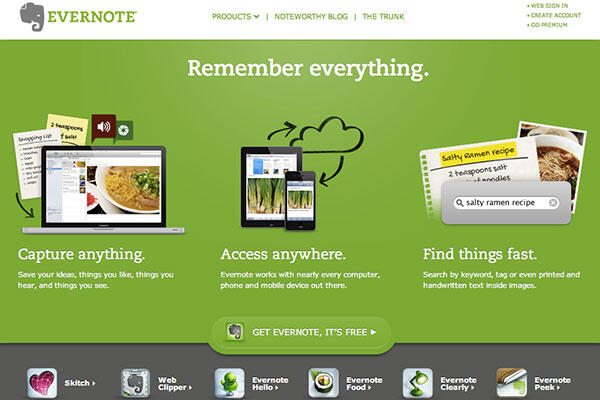
Evernote is not just an app – it’s so much more than that. Evernote, once you start to use it, becomes an extension of your brain. If you’ve ever sat in the middle of a pile of paper, wailing because you can’t find the notes you need, you could probably benefit from using it. There’s a reason its icon is an elephant – elephants never forget, and neither does Evernote. Evernote is like a digital to-do list/ notebook/ scrapbook that you can synchronise and access across all your devices. Forget your folder full of Word documents and scattered handout sheets – you can write your lecture notes and save them in Evernote. Even better, you can tag them, add a voice recording and a picture of the whiteboard. If you prefer to write your notes by hand, take a photo of them and save it to Evernote in case they get wet and/or your parrot eats them. When you need to find your notes later, you can search using the powerful search function – it’s so good that it will even recognise text within an image. It’s basically witchcraft. It gets better, though – you can “clip” pages from the web and save them to Evernote, which is great if you need a bunch of temporary bookmarks for an assignment. Or, if you want to save recipes from the web with pictures and videos, and have them all in one place. Your notes will synchronise across your devices, assuming you install the necessary app, so you can save a journal article on your laptop and read it later on your phone. Download it. Use it. Be more organised. Conquer the world.
-
Culture
 Issue 15 14/07/2013
Making the web your bitch
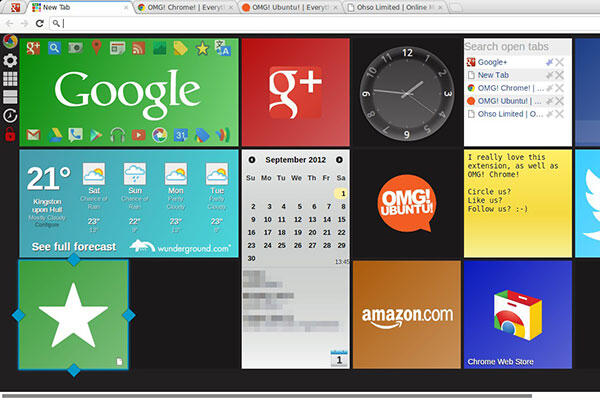
You’re already one of the thirty-seven per cent of people worldwide using Google Chrome to navigate our beloved web, right? So I don’t have to begin this by nagging you to use it? No? Still using Internet Explorer like a schmuck? Come on, even my Nana uses Chrome, and all she’s doing is playing mahjong and swooning over pictures of Winston Peters. Get your shit together, download Chrome, and say “smell ya later” to the standard browsing experience. Here’s some things you can do with it: Game on. No Smartphone Required.When you should be panicking about an essay, panicking about your plants and zombies seems like a much more attractive option. If you don’t have a smartphone but want to get in on some of that sweet fruit ninja action, rejoice! You can play it right from your browser. Cut the Rope, Angry Birds and Plants vs. Zombies are all there. Even indie RPG Bastion (with its awesome soundtrack) is available on Chrome. Have at it. Bend it to your will.Don’t surf the web like a chump – use Chrome extensions to make the web look and feel exactly as you’d like it. Strip out the ads with AdBlock; create an awesome new tab page with Awesome New Tab Page (a good option to replace iGoogle, which will be joining the Google Grave in November); make Reddit your bitch with Reddit Enhancement Suite; or change the colours of Facebook with Color Changer. Because blue is for sheep. Study Smarter, Stupid.There’s a lot you can do to make research easier with Chrome. First, install StayFocusd to reduce the amount of time you waste on Facebook … and YouTube, and Reddit, and Buzzfeed (wicked temptresses). Add in Google Dictionary to define any word with a double-click, and Grammarly Lite to check your grammar. TLDR is a neat extension that will give you a short summary of the page you’re looking at – great if you’re trying to decide if a source is relevant to your topic without reading the whole thing.
-
Culture
 Issue 14 07/07/2013
App of the Week | Issue 14
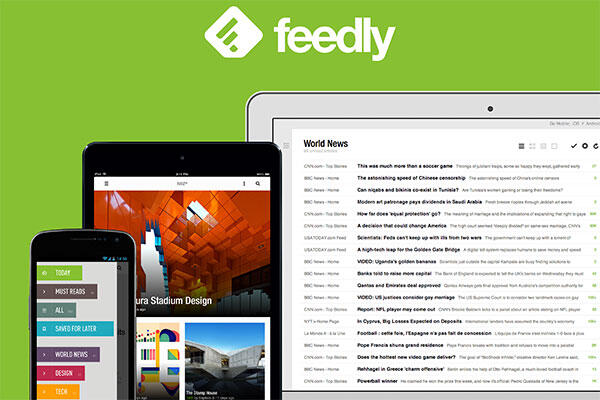
Google Reader is dead. Google Reader, that faithful web servant, which, for the past seven years, has fed me my web content. Its demise is a sad loss for we traditionalists who still get our news and read blogs via RSS. But all hope is not lost – hopefully, before its end, you exported your Google Reader feeds to an XML file and are ready to try out a new RSS reader, one whose developers won’t senselessly kill for no apparent reason. Of all the RSS readers currently available, Feedly is the most versatile and hassle-free. It syncs across multiple platforms and imports your old Google Reader feeds in one click. The look and feel of the web app can be customised according to your whims – you can choose a traditional list style, or opt for a flashier magazine-style look. The mobile apps can also be customised and linked to your social media accounts (Facebook, Twitter, Pinterest) and read-later apps (Pocket, Instapaper) so that you can share and save material with one click. The Feedly team have demonstrated immense care for their user base over the past few months. They really listened to what users wanted from Feedly and gave users the power to vote for features that they should implement. They have opened up their API to developers, allowing third-party apps to add to the Feedly experiment. A recent development was the creation of an IFTTT (ifttt.com) channel that allows for some pretty sweet automation. All this care and dedication to user feedback has resulted in a really flexible app that will stand the test of time. The fact that the Feedly developers are so open to change and innovation means that though the scape of RSS feeds and content-consumption may change, Feedly will ride out the changes and remain the best option for people who like their content curated in one place and accessible across multiple devices.
-
Culture
 Issue 14 07/07/2013
Putting the Social Back in Social Networking
Remember when social networks were new? And Facebook? Back when you could poke someone and gift them a picture of a flower … just because? It was exciting back then – social networks were revolutionising the way we connected with people. But what has that really amounted to? Facebook has become a digital mirror of real-life friend networks, full of TMI and little opportunity to meet new people. If you’re stuck in a “same old parties, same old people” rut and think it might just be fucking nice to meet some people who like the same shit as you, take to the internet. I promise it’s not entirely saturated with bronies and creeps – out there in lands of Twitter, Tumblr, and Reddit there are some genuinely nice and interesting people. Facebook is not the place to make new connections – it’s largely taboo to friend request a stranger, even a stranger who exists on the fringes of your current social circle. Even Facebook arches an eyebrow each time you add a friend – “do you know this person outside of Facebook?” it demands. If you want to take a more direct approach and meet some new people in the flesh, or don’t want the onus of being witty on Twitter to gain followers (ain’t nobody got time for that shit), take a look at Couchsurfing and Meetup. I like to think of these social networks as digital-age equivalents to your mum’s nice suggestion that you join a club, but better, because you don’t have to join a social hockey team and risk breaking your fingers every Wednesday. couchsurfing.org (iOS and Android apps available) Couchsurfing is a network that connects travellers, couches, and couch-owners. Essentially, you offer your couch to a traveller in exchange for some lively conversation and maybe a cooked meal or two. But owning a couch is not a prerequisite to becoming a couchsurfer, nor is being a traveller. Sign up even if you’re just keen to meet up with travellers, show them around the city or introduce them to the age-old Kiwi institution of binge-drinking. Travellers are always a varied bunch and you might make some convenient friends – you never know when a friendly face and a couch to crash on in Zagreb might come in handy. You can also mine them for information and travel tips that will be invaluable come OE time. meetup.com (iOS and Android apps available) Meetup is like online dating, but for friends! Okay, admittedly that does not make it sound very appealing, but Meetup connects people who want to pursue their interests and meet new people. If no one you know will indulge your desire to play Scrabble and drink Irish coffees it might be time to throw social caution to the wind and sign up. Scan the Meetups in your area and join in – there are groups for anything from sports to coding to movie-going and more. Or create your own damn group and find some like-minded Scrabble players and Irish coffee drinkers.


